omron bp786 instruction manual

Omron BP786 Instruction Manual: A Comprehensive Guide
Welcome! This comprehensive guide details the Omron BP786N Blood Pressure Monitor, utilizing the oscillometric method for simple, digital blood pressure and pulse rate measurement.
Thank you for choosing the OMRON® BP786N Blood Pressure Monitor. This advanced device is designed for convenient and accurate home blood pressure monitoring within the adult population; Utilizing the oscillometric method, the BP786N detects blood flow through your brachial artery, converting these movements into a clear, digital reading – eliminating the need for a traditional stethoscope.
This monitor isn’t just about numbers; it’s about empowering you to take control of your cardiovascular health. The BP786N is a digital tool intended to measure both blood pressure and pulse rate. Furthermore, it features irregular heartbeat detection, providing an alert alongside your measurement results if an irregularity is sensed. The included components ensure a quick and easy setup, allowing you to begin monitoring your health immediately.
What’s Included in the Box
Upon opening your OMRON BP786N package, you’ll find everything needed to begin monitoring your blood pressure effectively. The box contains the OMRON Blood Pressure Monitor itself, the core of your health tracking system. Alongside the monitor, you’ll receive an AC Adapter, providing a convenient alternative to battery power for continuous use.
To guide you through setup and operation, a detailed Instruction Manual is included, offering comprehensive explanations of all features and functions. You’ll also find a ComFit™ Arm Cuff, designed for comfortable and accurate measurements. A Quick Start Guide is provided for immediate setup, and a Battery Set is included to power the device right out of the box. Ensure all components are present before proceeding with setup.
Understanding the Oscillometric Method
The OMRON BP786N utilizes the oscillometric method for blood pressure measurement – a non-invasive technique widely recognized for its accuracy and ease of use. Unlike traditional methods requiring a stethoscope, this monitor cleverly detects blood movement through your brachial artery. As the cuff inflates and deflates, the device senses the oscillations created by the pulsing blood flow.
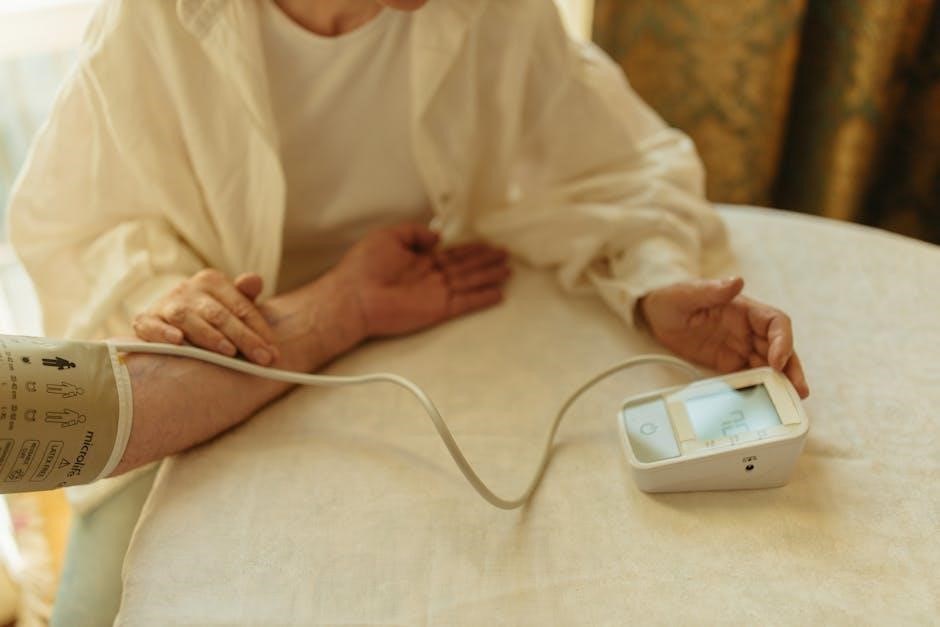
These oscillations are then converted into a digital reading, displaying your systolic and diastolic blood pressure, as well as your pulse rate. This method eliminates the need for auditory skills, making self-monitoring accessible to everyone. The oscillometric approach provides a simple and reliable way to track your cardiovascular health from the comfort of your home, offering consistent results without specialized training.
Device Overview
Explore the BP786N! This section details the monitor’s display symbols, key features, and overall design, ensuring you understand its components and functionality.
Display Symbols and Indicators
Understanding the LCD is crucial. The Omron BP786N utilizes several symbols to convey information clearly. The systolic and diastolic blood pressure readings are prominently displayed, alongside your pulse rate. An irregular heartbeat indicator will appear if detected during measurement, alerting you to potential concerns.
The low battery indicator signals when battery replacement is needed. A memory symbol confirms stored readings are available for review. The TruRead™ symbol indicates if TruRead™ mode is active, enhancing measurement accuracy. A cuff wrap guide assists with proper arm cuff application.
Additionally, symbols denote measurement status (ready, in progress) and error messages, providing diagnostic information. Familiarizing yourself with these indicators ensures accurate interpretation of your blood pressure readings and proper device operation. Refer to the full manual for detailed explanations of each symbol.
Key Features of the BP786N
The Omron BP786N boasts several advanced features for convenient and accurate blood pressure monitoring. Its core technology utilizes the oscillometric method, eliminating the need for a stethoscope. The integrated TruRead™ technology averages multiple readings for enhanced precision, minimizing the impact of individual variations.
A significant feature is the irregular heartbeat detection, providing an early warning of potential cardiac rhythm abnormalities. The device includes a memory function, storing up to 100 readings for tracking trends over time. The comfortable ComFit™ arm cuff ensures proper fit and accurate measurements.
Furthermore, the BP786N offers both AC adapter and battery power options for versatile use. Its user-friendly interface and clear LCD display simplify operation and interpretation of results, empowering you to proactively manage your cardiovascular health.

Getting Started
Begin your health monitoring journey! This section guides you through battery installation, AC adapter usage, setting the date/time, and activating TruRead™ mode.
Battery Installation
Powering your Omron BP786N is simple! The monitor requires four size AA alkaline batteries (not included). Locate the battery compartment, typically on the back or side of the device. Gently slide off the battery cover.
Insert the batteries, ensuring correct polarity – match the positive (+) and negative (-) ends to the markings inside the compartment. Incorrect insertion can damage the monitor.
Once the batteries are securely in place, slide the battery cover back on until it clicks shut. If the low battery indicator appears on the display, replace all batteries simultaneously with new ones. Do not mix old and new batteries, or different types of batteries.
Removing batteries for extended periods prevents potential leakage and corrosion, safeguarding your device’s functionality.
Using the AC Adapter
For continuous power, utilize the included AC adapter. Locate the DC IN jack on the monitor – typically found on the side or back panel. Carefully insert the AC adapter plug into the DC IN jack. Then, plug the adapter into a standard wall outlet.
When the AC adapter is connected, the monitor will operate using AC power, and the battery power will not be used. The batteries serve as a backup power source in case of a power outage.
Ensure the adapter’s voltage matches your local power supply to prevent damage. Only use the Omron-supplied AC adapter; using a different adapter may void the warranty and potentially harm the device.
Disconnect the adapter when not in use or during cleaning.
Setting the Date and Time
Accurate date and time settings are crucial for proper data tracking. To set the date and time, press the “Memory” button. The year will begin to flash on the display. Use the “Start/Stop” button to adjust the year. Press “Memory” again to move to the month setting, and continue using “Start/Stop” to adjust.
Repeat this process for the day, hour, and minute settings, pressing “Memory” to cycle through each and “Start/Stop” to modify the values. Confirm each setting by pressing the “Memory” button after adjusting the minute.
The monitor uses a 24-hour clock format. Ensure the correct AM/PM designation is set during the hour adjustment. Proper date and time settings allow for accurate storage and review of your blood pressure readings within the device’s memory.
Setting the TruRead™ Mode
TruRead™ technology enhances measurement accuracy by taking multiple readings and averaging the results. To activate TruRead™ mode, press and hold the “Start/Stop” button for approximately two seconds. The “TruRead™” indicator will illuminate on the display, confirming activation.
When TruRead™ is enabled, the monitor will automatically take three consecutive measurements, spaced a few seconds apart, and display the average reading. This helps minimize the impact of momentary fluctuations in blood pressure.
To disable TruRead™ mode, repeat the process – press and hold the “Start/Stop” button for two seconds until the “TruRead™” indicator disappears. Utilizing TruRead™ is recommended for more consistent and reliable blood pressure monitoring.
Taking Accurate Measurements
Ensure reliable results by applying the arm cuff correctly, maintaining proper posture during measurement, and understanding how to interpret the displayed values.
Proper Arm Cuff Application
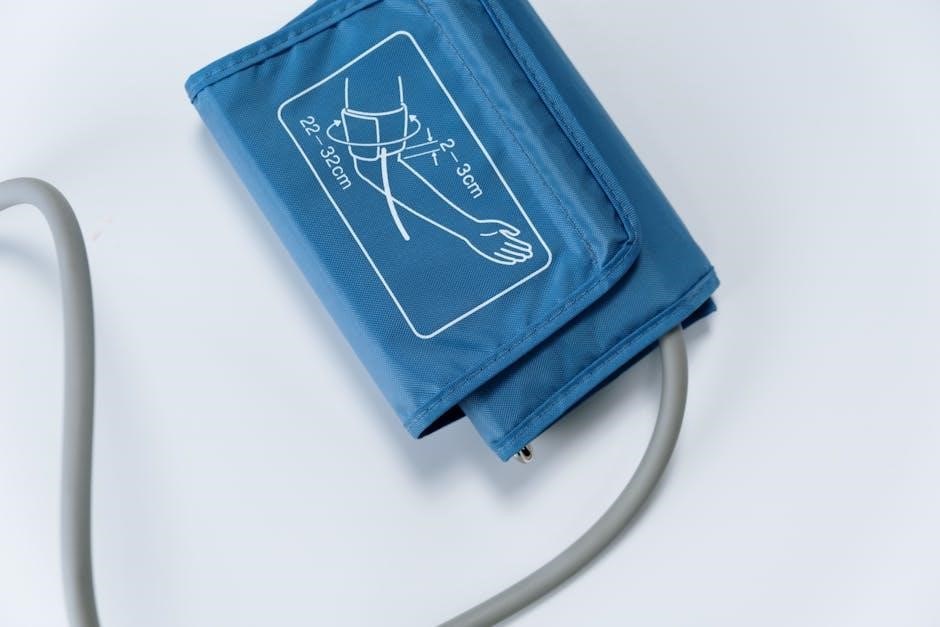
Correct cuff placement is crucial for accurate readings. Position the arm cuff on your upper arm, ensuring the lower edge is approximately one inch (2-3 cm) above your elbow. The artery mark on the cuff should align with your brachial artery – typically found on the inner side of your elbow.
Secure the cuff snugly, but not too tightly. You should be able to slide one finger comfortably under the edge of the cuff. Avoid applying the cuff over clothing, as this can distort the measurement. Ensure your arm is relaxed and supported at heart level throughout the measurement process.
Use the ComFit™ cuff included with your BP786N for optimal fit and accuracy. If you require a different size cuff, consult with your healthcare provider or Omron customer support to ensure proper selection. Incorrect cuff size can significantly impact the reliability of your blood pressure readings.
Correct Sitting Posture
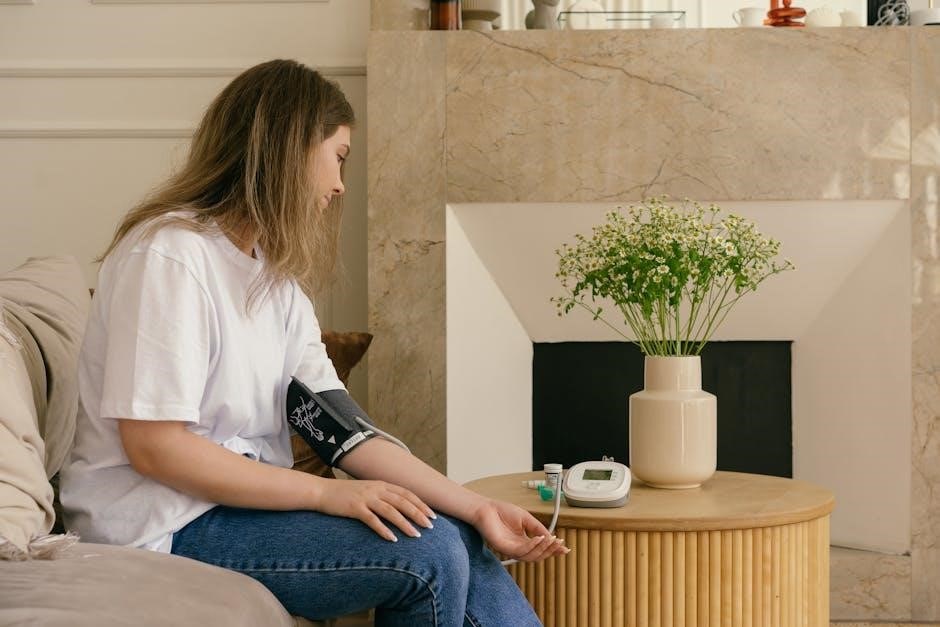
Maintaining proper posture during measurement is essential for reliable results. Sit upright in a chair with your back supported, and your feet flat on the floor. Avoid crossing your legs, as this can elevate blood pressure. Ensure your arm is supported at heart level – ideally on a table or armrest.
Relax for at least five minutes before taking a measurement. Avoid talking or moving during the reading, as this can influence the results. A calm and quiet environment is recommended. Do not consume caffeine, smoke, or exercise for at least 30 minutes prior to measurement.
Keep your arm still and relaxed throughout the entire process. Proper positioning minimizes interference and ensures the Omron BP786N accurately detects your blood pressure and pulse rate. Consistent posture contributes to comparable readings over time.
Initiating a Measurement
With the cuff properly applied and you seated comfortably, press the “Start” button on the Omron BP786N. The cuff will automatically inflate, and you’ll feel pressure on your arm. Remain still and quiet during inflation and deflation – avoid talking or moving.
The monitor will display the measurement process, showing the inflating pressure. Once the measurement is complete, the cuff will deflate, and your systolic and diastolic blood pressure, along with your pulse rate, will be displayed on the screen.
Record your results immediately, noting the date and time. If an error occurs, refer to the troubleshooting section of this manual. Ensure the device is used consistently for accurate tracking of your blood pressure over time.
Interpreting Measurement Results
Your Omron BP786N displays systolic and diastolic blood pressure readings, alongside your pulse rate. Systolic pressure represents the pressure when your heart beats, while diastolic is the pressure when your heart rests between beats.
Understanding your readings requires context. Consult with a healthcare professional to interpret your results based on established blood pressure categories. Generally, normal blood pressure is considered below 120/80 mmHg. Elevated readings may indicate prehypertension or hypertension.
Pay attention to any irregular heartbeat indicators displayed by the monitor. Consistent high readings or the presence of irregular heartbeats warrant medical attention. Regularly tracking your measurements provides valuable data for your doctor.

Advanced Features & Troubleshooting
Explore enhanced functionalities like irregular heartbeat detection and memory recall. This section also provides solutions for common issues and clarifies error message meanings.
Irregular Heartbeat Detection
The Omron BP786N is equipped with an Irregular Heartbeat Detection feature, designed to alert you to potential irregularities during a blood pressure measurement. This device actively monitors your pulse while taking a reading and identifies deviations from a regular rhythm.

If an irregular heartbeat is detected, the monitor will display an irregularity symbol alongside your blood pressure and pulse rate results. It’s important to understand that this feature does not diagnose heart conditions; it simply indicates that an irregularity was present during the measurement.
If you consistently receive irregularity indications, consult your healthcare provider for a thorough evaluation. Do not disregard medical advice or delay seeking professional attention based solely on the monitor’s detection. The device is intended to be a screening tool, not a diagnostic one. Further investigation by a medical professional is crucial for accurate diagnosis and appropriate treatment.
Memory Function and Data Review
The Omron BP786N features a robust memory function, allowing you to store and review past blood pressure measurements. This is incredibly useful for tracking trends and sharing data with your healthcare provider. The monitor stores readings with the date and time, providing a comprehensive history of your blood pressure over time.
You can easily access stored data by using the memory recall buttons on the device. The manual details how to navigate through your measurement history, view average readings, and even delete unwanted data. Regularly reviewing your readings can help you and your doctor identify patterns and adjust treatment plans accordingly.
Consistent monitoring and data review are key components of effective blood pressure management. The BP786N’s memory function empowers you to take an active role in your health and provides valuable information for informed discussions with your physician.
Troubleshooting Common Issues
Encountering issues with your Omron BP786N? Several common problems have straightforward solutions. If the monitor displays an error message, consult the dedicated section in the manual for specific meanings and recommended actions. Difficulty obtaining a reading often stems from improper cuff placement or movement during measurement – ensure a snug, yet comfortable fit, and remain still.
Irregular heartbeat indications don’t necessarily signify a serious problem, but warrant discussion with your doctor. If the monitor consistently displays unusually high or low readings, verify correct technique and recalibrate if necessary. Battery issues can also cause problems; replace batteries if the display is dim or erratic.
Refer to the manual’s troubleshooting guide for detailed assistance; If problems persist, contacting Omron support is recommended for further guidance and potential repair options.
Error Messages and Their Meanings
Understanding the error codes displayed on your Omron BP786N is crucial for accurate troubleshooting. An “Err” message, often accompanied by a number, indicates a specific issue. “Err 1” typically signifies motion error – ensure stillness during measurement. “Err 2” suggests insufficient inflation, potentially due to a twisted cuff or obstruction. “Err 3” indicates excessive inflation, possibly due to a kinked tube.
“Err 4” often relates to a low battery, prompting replacement. Other codes may signal internal device malfunctions requiring professional attention. Always consult the full list of error messages within the instruction manual for a comprehensive explanation of each code and suggested corrective actions.
Ignoring error messages can lead to inaccurate readings and compromise your health monitoring. Promptly addressing these signals ensures reliable blood pressure measurements.

Maintenance and Care
Proper care extends the life of your BP786N. Regularly clean the device, store it safely, and replace the cuff when necessary for optimal performance.
Cleaning the Device
To ensure accurate readings and prolong the lifespan of your Omron BP786N, regular cleaning is essential. Always disconnect the AC adapter before cleaning. Use a soft, dry cloth to gently wipe the monitor’s main unit. Avoid using water, solvents, or abrasive cleaners, as these can damage the device.
The arm cuff can be cleaned with a slightly damp cloth. Do not immerse the cuff in water or use harsh detergents. Ensure the cuff is completely dry before reattaching it to the monitor. Pay particular attention to cleaning the cuff’s surface where it comes into contact with your skin. This helps prevent the buildup of oils and dirt that could affect readings.
Inspect the cuff regularly for any signs of wear and tear. A damaged cuff may not provide accurate measurements. Cleaning should be performed periodically, or more frequently if the device is used by multiple individuals.
Storing the Blood Pressure Monitor
Proper storage is crucial for maintaining the accuracy and longevity of your Omron BP786N Blood Pressure Monitor. When not in use, store the monitor in a cool, dry place, away from direct sunlight and extreme temperatures. Avoid storing the device in areas with high humidity, as this can damage the internal components.
It’s recommended to store the monitor in its original case, if available, to protect it from dust and physical damage. Do not store the device with the batteries installed for extended periods, as battery leakage can occur. Remove the batteries if the monitor will not be used for several months.
Ensure the arm cuff is also stored in a clean, dry environment. Avoid bending or twisting the cuff excessively, as this can damage the tubing and affect its performance. Careful storage will help ensure your monitor remains reliable for years to come.
Replacing the Arm Cuff
Over time, the arm cuff may wear out and require replacement to ensure accurate blood pressure readings. Omron offers replacement cuffs specifically designed for the BP786N model. When replacing, it’s essential to select the correct cuff size for your arm circumference. Using an improperly sized cuff can lead to inaccurate measurements.
To replace the cuff, gently disconnect the tubing from the monitor’s main unit. Ensure the connection is secure when attaching the new cuff. Avoid pulling or twisting the tubing forcefully, as this could damage the connector. Regularly inspect the cuff for cracks, leaks, or other signs of wear and tear.
A damaged cuff can significantly impact the accuracy of your blood pressure readings. Replacing the cuff is a simple process that helps maintain the reliability of your Omron BP786N monitor and supports consistent health monitoring.
Important Safety Information
Please read carefully! This device is for non-critical monitoring; consult a healthcare professional for diagnosis and treatment of medical conditions.
Precautions and Contraindications
Important considerations for safe and accurate use: Do not use this device on infants or small children. Individuals with severe arrhythmia should consult their physician before use, as readings may be inaccurate. Avoid taking measurements on an arm with an intravenous line, arteriovenous shunt, or post-mastectomy.
This monitor is not intended for continuous monitoring. Do not disassemble or modify the device. Keep it away from water and extreme temperatures. If you experience discomfort or skin irritation, discontinue use. The BP786N is designed for use by individuals with arm circumferences within the specified range – ensure proper cuff size for accurate results.
Do not self-treat based solely on measurements; always consult a healthcare professional for interpretation and guidance. This device is not a substitute for regular medical check-ups.
Warranty Information
Omron’s commitment to quality: Your Omron BP786N Blood Pressure Monitor is warranted against defects in materials and workmanship for a period of one year from the date of purchase. This warranty covers product repair or replacement at Omron’s discretion. Damage caused by misuse, accident, neglect, unauthorized service, or normal wear and tear is not covered.
To obtain warranty service, contact Omron Healthcare Customer Support with proof of purchase. Do not attempt to repair the device yourself, as this will void the warranty. This warranty is extended only to the original purchaser and is non-transferable.
Omron disclaims all other warranties, expressed or implied, including any warranty of merchantability or fitness for a particular purpose. Some states do not allow limitations on implied warranties, so the above limitation may not apply to you.
Contact Information for Support
Need assistance with your Omron BP786N? Omron Healthcare provides comprehensive customer support to ensure you get the most out of your blood pressure monitor. For frequently asked questions, troubleshooting tips, and helpful resources, please visit the official Omron Healthcare website.
You can also reach our dedicated Customer Support team via phone during business hours. Our knowledgeable representatives are available to assist with any questions or concerns you may have regarding setup, operation, or maintenance.
For written inquiries, you can contact Omron Healthcare via mail at the address listed in the documentation. Please include your model number and a detailed description of your issue. We are committed to providing excellent support and helping you manage your health effectively.